Paste exactly what you need
ClipboardFormatter cleans and reformats your clipboard content in one keystroke — strip junk formatting, fix line breaks, and prepare text for any destination.
Get it on Microsoft Store →$7.99, one-time · 15-day free trial · Free tier after trial
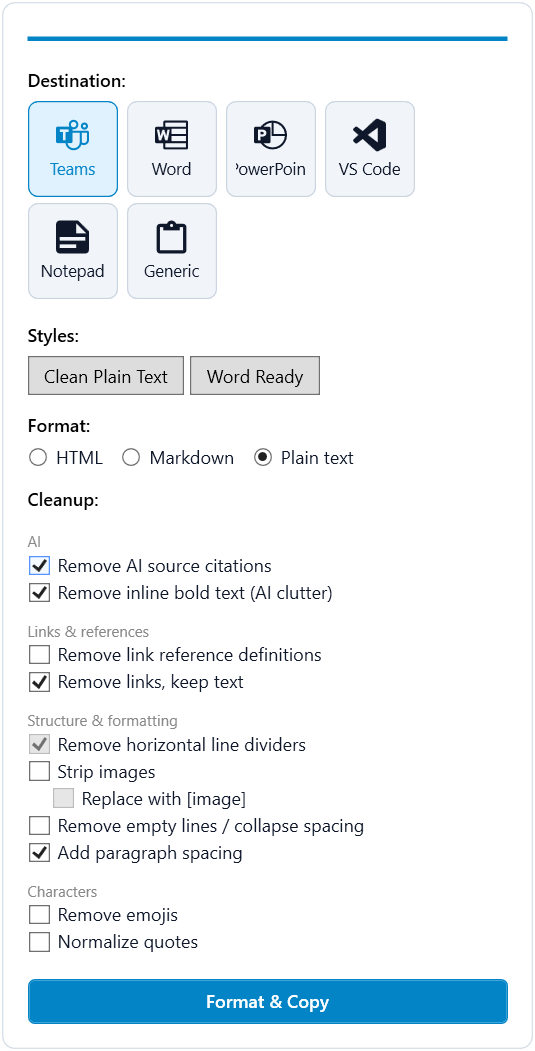
What it does
A system tray app that stays out of your way until you need it.
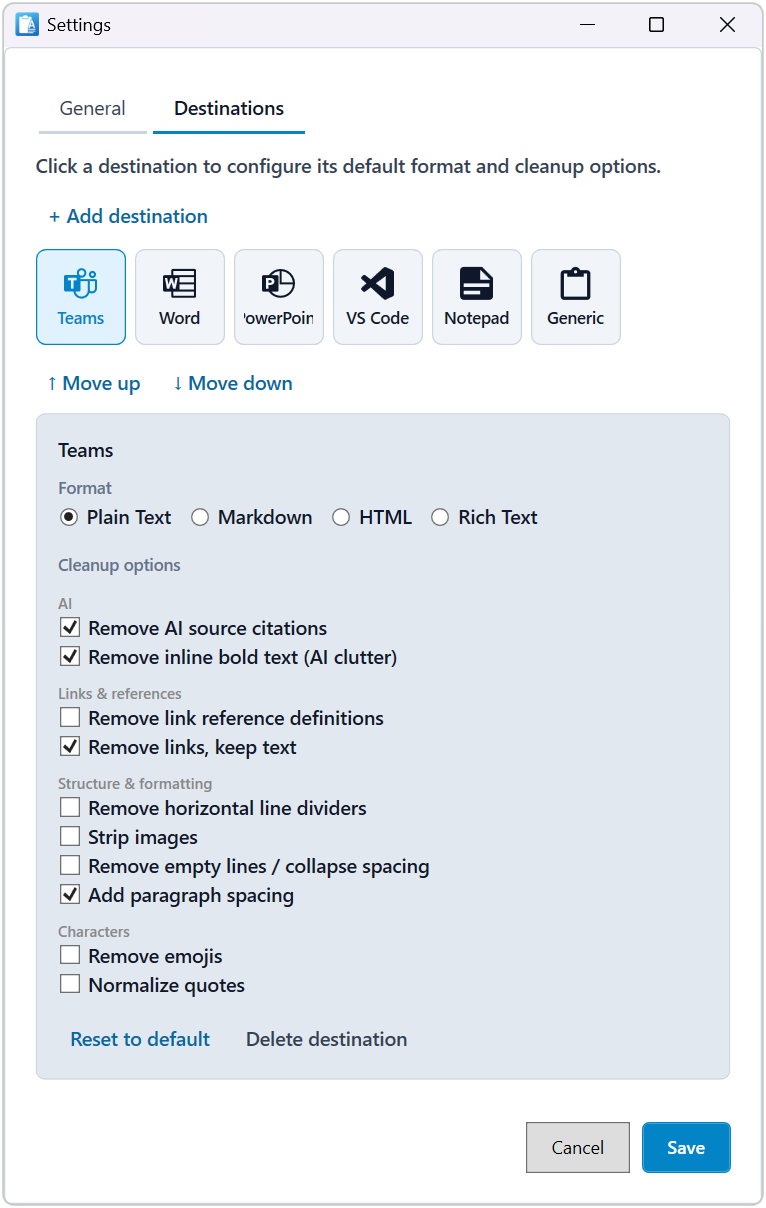
Configure destinations, styles, and cleanup rules in Settings.
One-key formatting
Trigger ClipboardFormatter with a configurable hotkey. No window to open, no menus to navigate. Starts with Windows and waits in the tray.
Smart cleanup
Strips rich text, fixes line endings, removes hidden formatting — so what you paste is clean.
Custom styles
Save your own formatting presets and switch between them in one click. Included in Pro and the free trial.
100% local
Your clipboard content never leaves your machine. No cloud, no sync, no account required.
Light and dark mode
Follows Windows theme automatically, or pin it to light or dark in Settings.
Six destinations
Teams, Word, PowerPoint, VS Code, Notepad, or Generic — each pre-sets the right format and cleanup. Only formats actually on the clipboard are shown.
How it works
Three steps, no friction.
Copy something
Copy text from anywhere — a web page, a PDF, a chat conversation, an AI tool.
Press your hotkey
Hit your configured key (F1–F12 with optional Ctrl/Shift/Alt). ClipboardFormatter processes the content instantly.
Paste and move on
Paste into Teams, Word, PowerPoint, VS Code, Notepad — wherever you're working. Clean result every time.
Questions people ask
How do I paste without formatting on Windows?
Copy as usual, press your ClipboardFormatter hotkey, then paste. The app strips rich text and hidden formatting and fixes line endings, so what lands in Teams, Word, PowerPoint, VS Code or Notepad is clean.
Does it work with text from ChatGPT and other AI tools?
Yes. Copy from any source — a web page, a PDF, a chat conversation or an AI tool — and press your hotkey. ClipboardFormatter works on whatever is on the clipboard.
How much does it cost?
$7.99 one-time on the Microsoft Store, with a 15-day free trial. After the trial the app keeps working on a free tier, with no lock-out. Custom styles are included in Pro and in the trial.
Is my clipboard content sent anywhere?
No. Everything runs on your own machine — no cloud, no sync and no account.
Which apps can I paste into?
Six destinations are built in: Teams, Word, PowerPoint, VS Code, Notepad and Generic. Each one sets the right format and cleanup for that app.
Which hotkey does it use?
You choose it: F1–F12, with optional Ctrl, Shift or Alt. The app starts with Windows and waits in the system tray.
Available on Microsoft Store.
$7.99 one-time, with a 15-day free trial — and the app keeps working on a free tier after that, no lock-out.
Get it on Microsoft Store →15-day free trial · Free tier after trial · Microsoft Store